 HADA
HADAYour Windows computer in Home Assistant
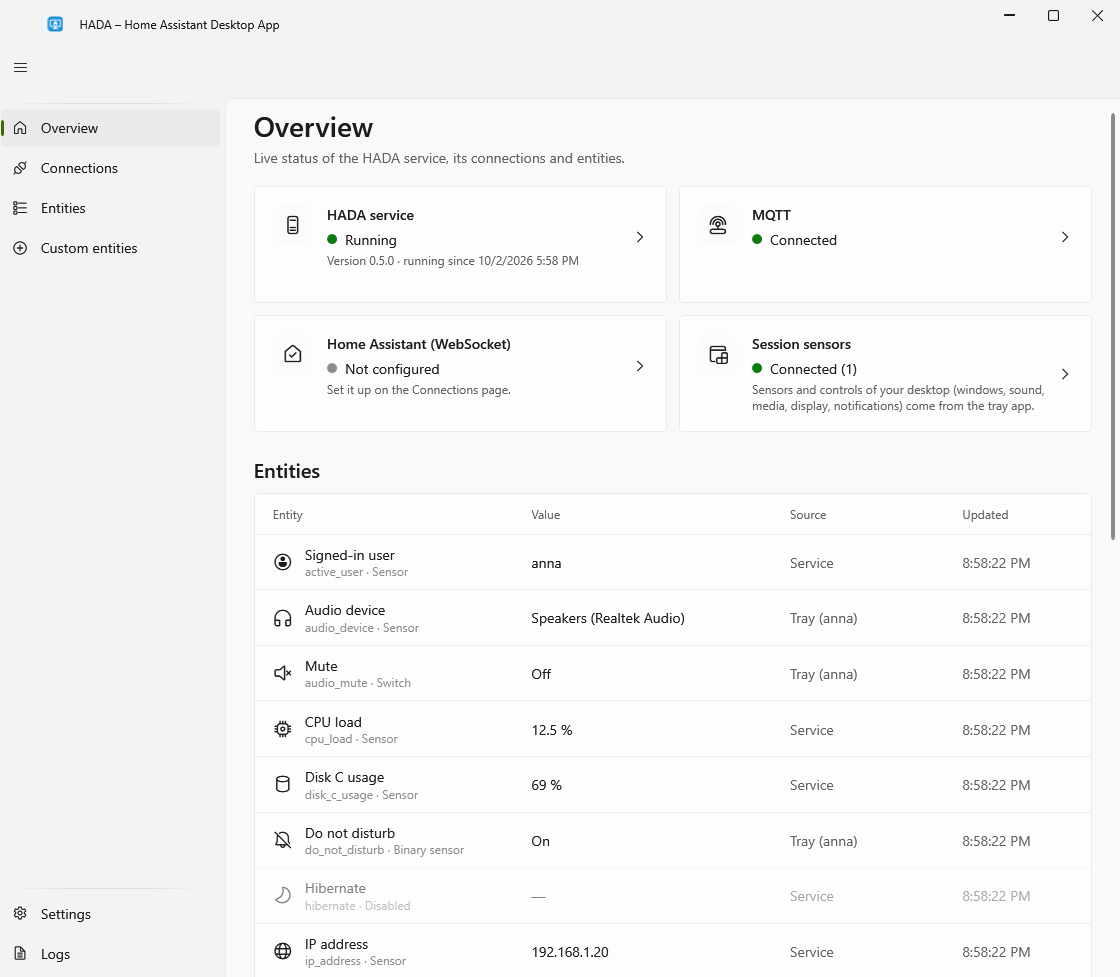
HADA runs in the background, tells Home Assistant what the computer is doing, and lets Home Assistant control it.
Version from the latest release · Windows 10 (1809 or newer) and Windows 11 · free, MIT license · also as a portable version
What it does
-
Reports the computer's state
Whether the screen is on, the session locked, somebody at the keyboard; what is playing; whether the microphone or camera is in use; battery, network, disks and more.
-
Takes commands
Volume and mute, media keys, the display, lock, sleep, shut down and restart, all from Home Assistant.
-
Shows notifications
Sent from Home Assistant, with pictures and buttons that start automations.
-
Your own sensors and buttons
Without writing code: whether a program runs, whether a dock is connected, the output of a PowerShell command, a button that starts a program or presses keys.
-
Quick actions
Start automations from the tray icon's menu or with a keyboard shortcut.
-
Your dashboard at hand
A small window with your Home Assistant dashboard, opened from the tray icon.
How it is built
-
A service and a small tray app
The service keeps the connection and works with nobody signed in. The tray app adds what only a signed-in user's desktop can tell.
-
Light
About 15 MB of memory for the service and 20 to 25 MB for the tray app. The window only exists while it is open.
-
MQTT discovery
The computer shows up in Home Assistant as a device with all its entities; nothing to write in YAML. A direct WebSocket connection works too.
-
Yours to control
Every entity has a switch. The buttons that switch the computer off stay off until you turn them on. Only an administrator can change settings.
Start here
-
Install HADA
Run the installer, or unpack the portable version, which needs no administrator rights.
-
Connect it to Home Assistant
Open HADA from the tray icon and set up a connection to your MQTT broker or straight to Home Assistant.
-
Use it in automations
Dim the lights when a film starts, switch the desk lamp off when you lock the computer.